Microsoft Edge Security
Designed an end-user work profile setup experience for enterprise customers to protect their data during COVID-19, when employees began working from personal devices at home.

Increased security risks on personal devices of WFH employees
During COVID-19, over 70% of U.S. employees began working remotely, increasing reliance on personal devices for work. This prompted admins concerns about safety.

How might we create a seamless work profile setup flow with additional steps to apply organizational policies?
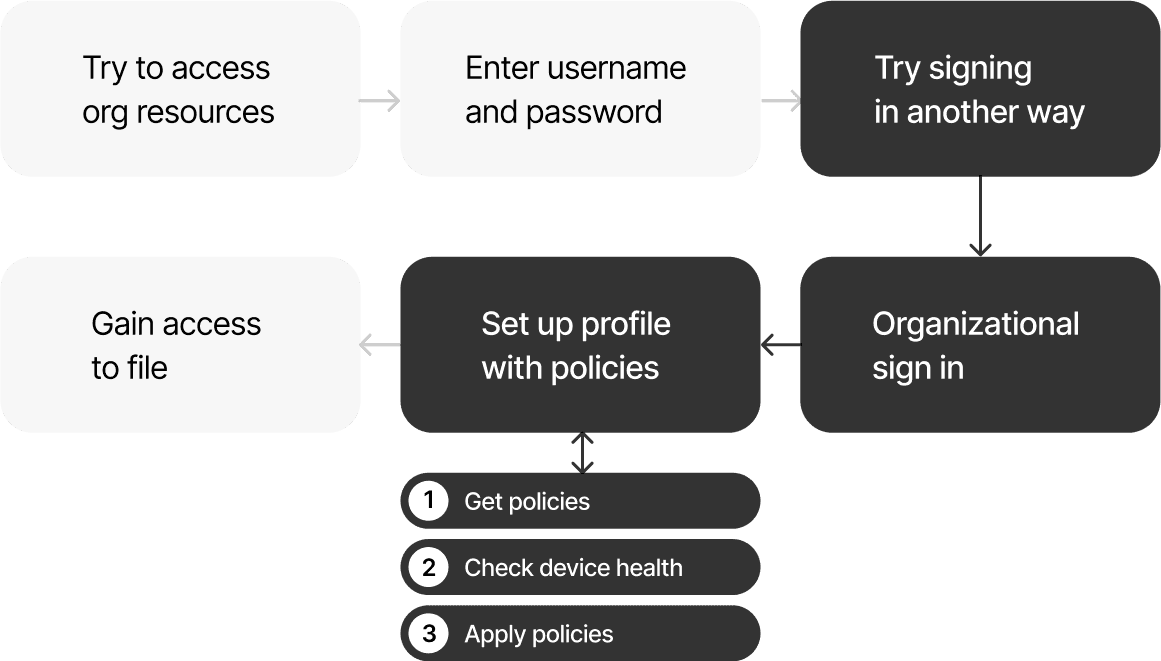
To address admins' safety concerns, we decided to apply additional organizational policies to work profiles. The challenge here was to design a seamless setup process that users still trust and are motivated to complete, even with the additional steps.
A new profile setup dialog incorporating an automatic progress indicators
After multiple alignments and design reviews with stakeholders, including Azure and Windows security teams, I proposed a new profile setup dialog combining three steps into one, ensuring users didn't perceive them as separate steps. The design featured an automatic progress indicators and clear guidance.

Clear remediation steps for every case to apply policies.
I worked with the engineering team to define clear remediation steps and error states for every case requiring organizational policies, based on the unique states of users' devices and profiles.
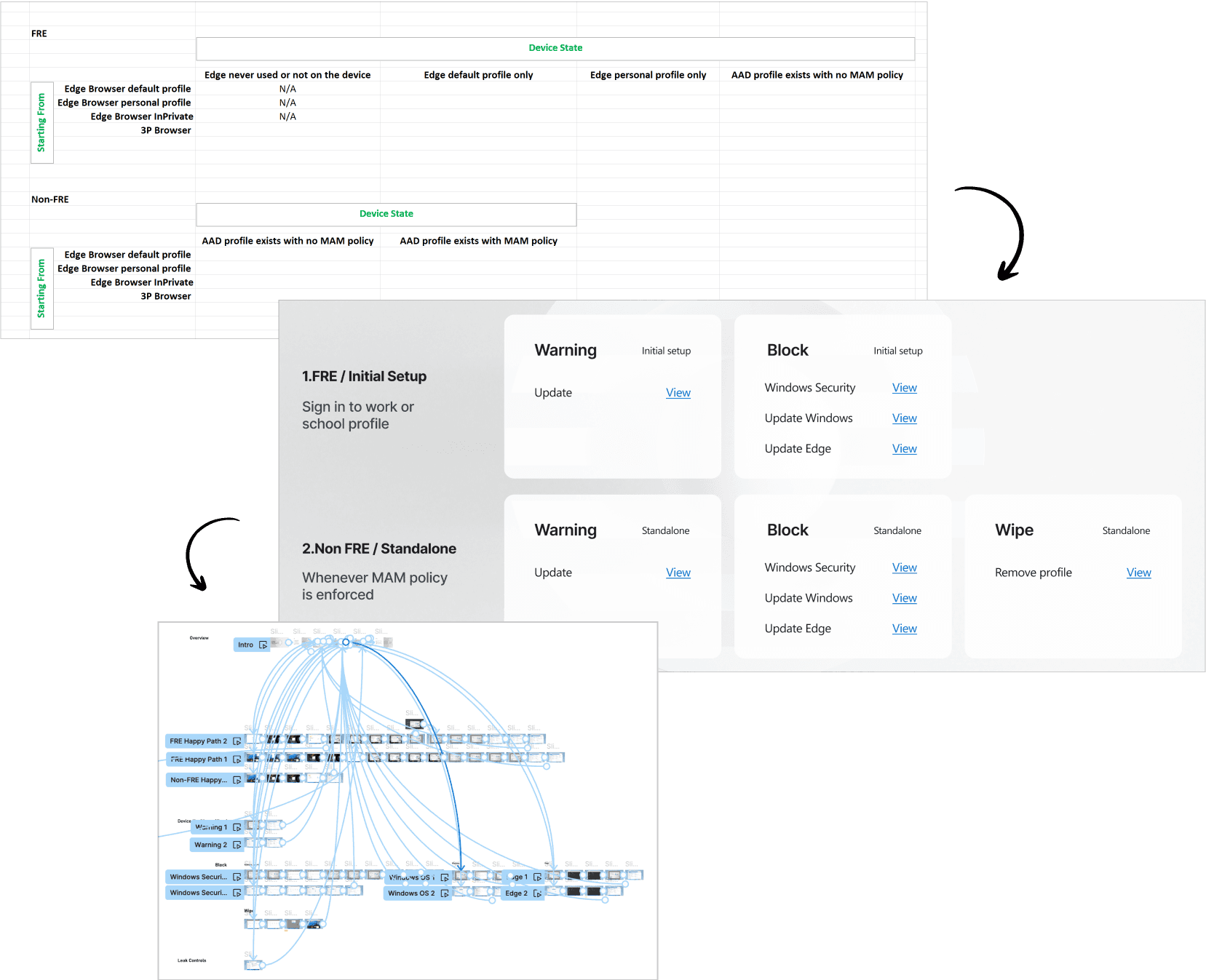
9 interview participants confirmed the new flow clearly outlined the remediation steps and wasn't lengthy
Key Insights ✅ Users generally trust the process, but additional information could improve that trust. ✅ The error message and CTA are clear. Keep error messages under the relevant step. ❌ Some of old legacy screens are confusing for users.
Browser theme design explorations for clearer navigation between work and personal browsing experiences
Although it hasn't shipped due to deprioritization, I proposed a user experience that distinguishes personal and work profiles and browsers, enabling users to navigate and access work resources with greater clarity.


Lessons from designing for both enterprise admins and end users.
Since this was a unique project requiring the implementation of enterprise-level features for end-users, I want to share some of key learnings. 💡 Good security UX isn't just about protection—it's about making compliance frictionless and user-centric. 💡 Collaboration and alignment meetings are critical to bridge the gap between user needs and organizational requirements. 💡 Enterprise UX must be built with long-term adaptability in mind.